Free Dynamic QR Code: Edit the Link After Printing
Create a dynamic qr code free and edit the destination URL after printing without reprinting flyers or cards. Includes 3 free codes and scan tracking.
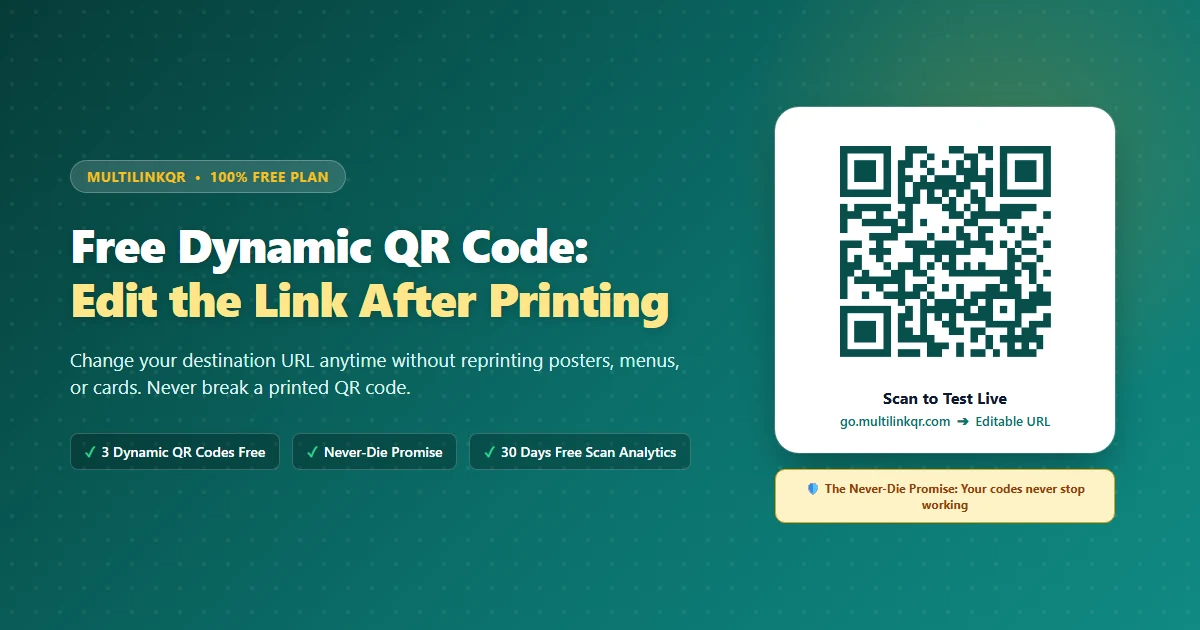
Printing hundreds of flyers, stickers, or standees only to discover a broken website link is expensive. With a traditional static QR code, fixing that mistake means throwing away your printed paper and paying for a full reprint.
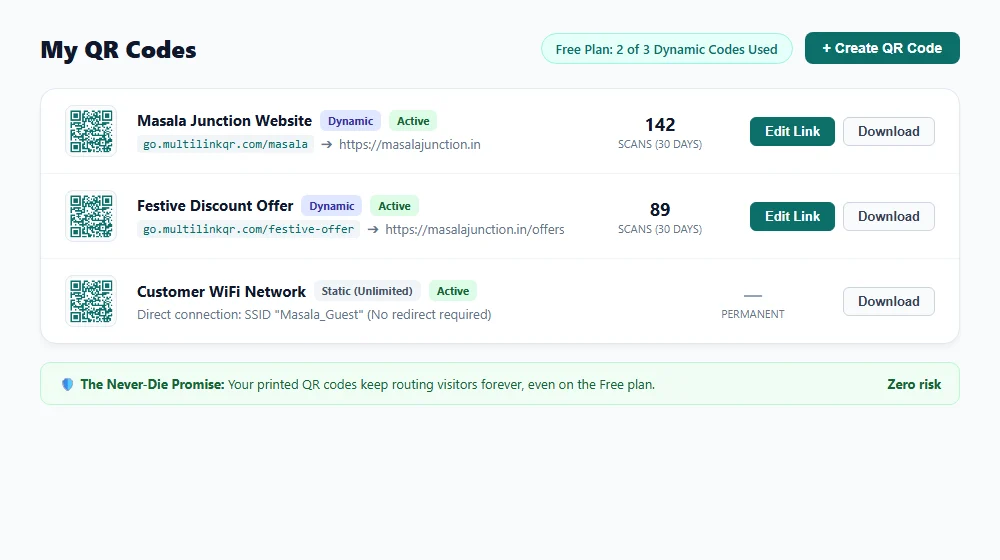
A dynamic qr code free from MultiLinkQR solves this problem. You can change your destination link in seconds, even after thousands of customers have your printed materials in hand.
Quick answer: You can edit the link of a printed QR code by using a dynamic QR code. A dynamic QR code routes scanners through a short redirection link (such as
go.multilinkqr.com/your-code). This lets you change the target URL anytime in your dashboard without altering the printed pattern. MultiLinkQR provides 3 dynamic QR codes free with no credit card required.
What is a dynamic QR code? (In one simple sentence)
A dynamic QR code is an editable QR code that routes scanners through a short redirect link, allowing you to update its destination website anytime without changing the printed QR pattern.
When a customer scans a static QR code, their phone reads the target link directly from the printed matrix. That link is permanently fixed by the ISO/IEC 18004 QR standard developed by Denso Wave. If your URL changes or has a typo, a static code cannot be updated.
A dynamic QR code works by separating the printed graphic from the target URL:
- The printed graphic: Displays a short redirection link hosted on MultiLinkQR (such as
go.multilinkqr.com/festive-deal). - The redirection server: When scanned, MultiLinkQR instantly looks up your destination URL and redirects the visitor in milliseconds.
- The final destination: The customer lands on your active webpage, menu, or WhatsApp chat.
Because the printed squares only encode the short link, you can update the destination URL anytime. Learn more in our comparison of dynamic vs. static QR codes.
Can I change the link of a QR code after printing?
Yes, you can change the link of a QR code after printing as long as you generated it as a dynamic QR code.
For example, imagine you run a restaurant in Surat or a shop in Ahmedabad. You print 500 table tents with a QR code pointing to your festive menu. Two months later, you want to send customers to your weekend discount page.
- With a static QR code: You must discard all 500 table tents and pay ₹3,000 to ₹5,000 for a fresh print run.
- With a dynamic QR code: You open your MultiLinkQR dashboard, update the destination link, and click Save. The very next scan opens the new offer immediately.
| Feature | Static QR Code | Dynamic QR Code (MultiLinkQR) |
|---|---|---|
| Edit destination URL after printing | ❌ Impossible | ✅ Instant (unlimited edits) |
| Fix typos without reprinting | ❌ Must reprint | ✅ Fixed in 10 seconds |
| Scan analytics | ❌ None | ✅ 30 days free scan history |
| Pattern density | Dense for long links | Always clean and easy to scan |
| Best for | WiFi passwords, fixed UPI IDs | Menus, websites, marketing flyers |
Step-by-step: How to create a dynamic QR code free and edit it after printing
Creating and updating an editable QR code on MultiLinkQR takes less than two minutes.
Step 1: Sign up and create your dynamic QR code
Log in to MultiLinkQR, open Create QR Code, and pick the URL type.
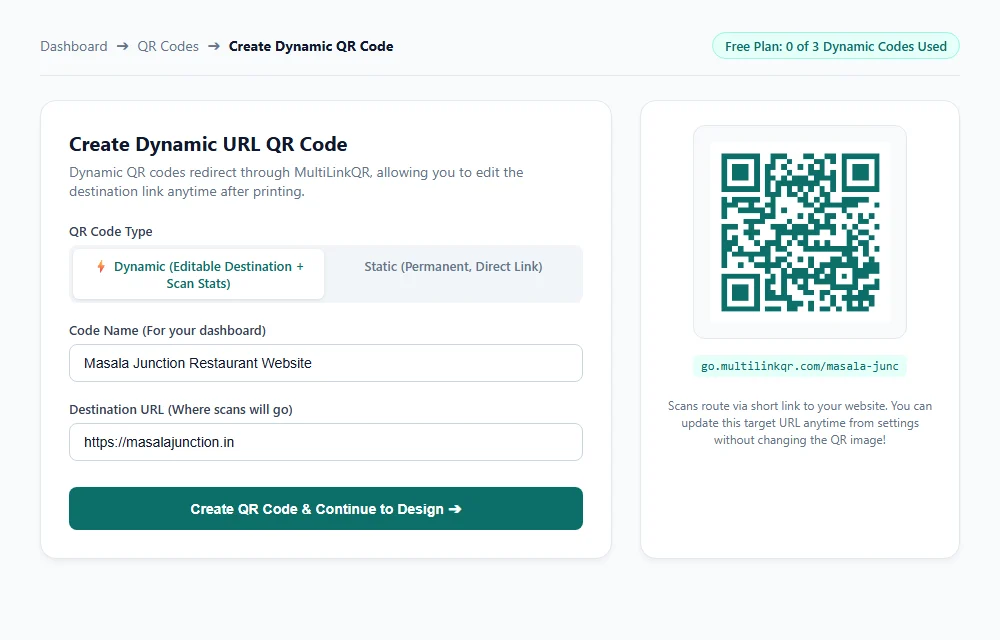
- Enter a name for your code (such as Masala Junction Website).
- Enter your website address in the Destination URL field.
- Ensure the toggle is set to Dynamic (enabled by default).
- Click Create QR Code & Continue.
Step 2: Customize design and download print files
Make your QR code recognizable by adding your brand colors, custom corner eyes, or a center logo. Read our guide on how to create a professional QR code for styling tips.
Download high-resolution PNG for digital use or vector SVG for professional print shops. SVG keeps your QR code crisp on large standees, flyers, and banners.
Step 3: Print and display your QR code
Print your QR code on table tents, counter signs, packaging, or visiting cards. Always test scan the physical proof with your smartphone camera before approving a large print order.
Step 4: Edit your destination link anytime from the dashboard
When your promotion changes or you need to update the link, open the Settings tab of your code in MultiLinkQR.
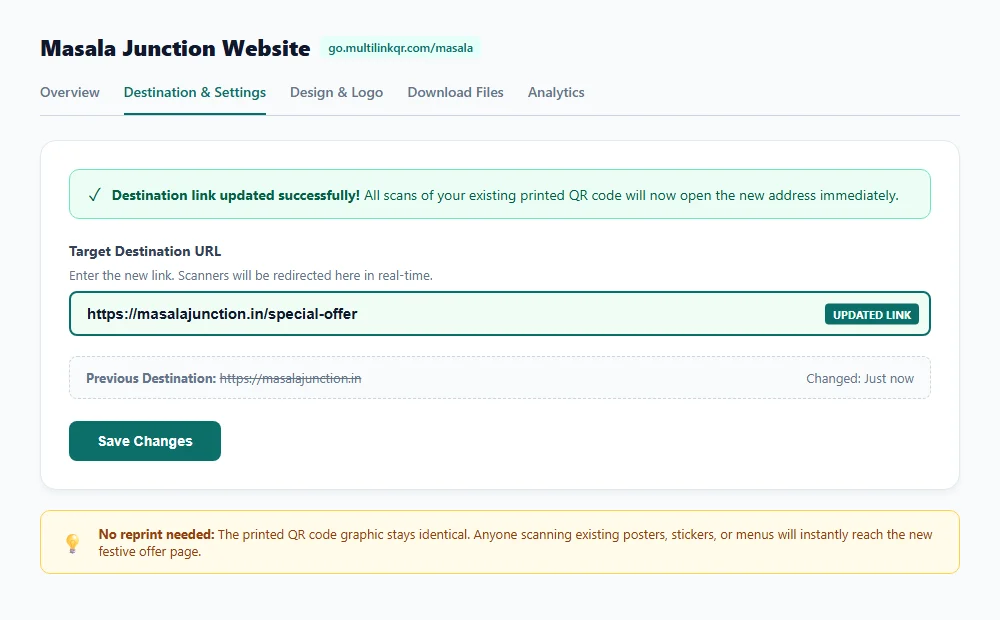
- Go to your QR code settings.
- In the Target Destination URL field, replace the old link with your new address (for example,
https://masalajunction.in/special-offer). - Click Save Changes.
The new URL takes effect worldwide instantly.
Step 5: Scan your original printed QR code to verify
Scan your printed paper or standee with your smartphone camera.
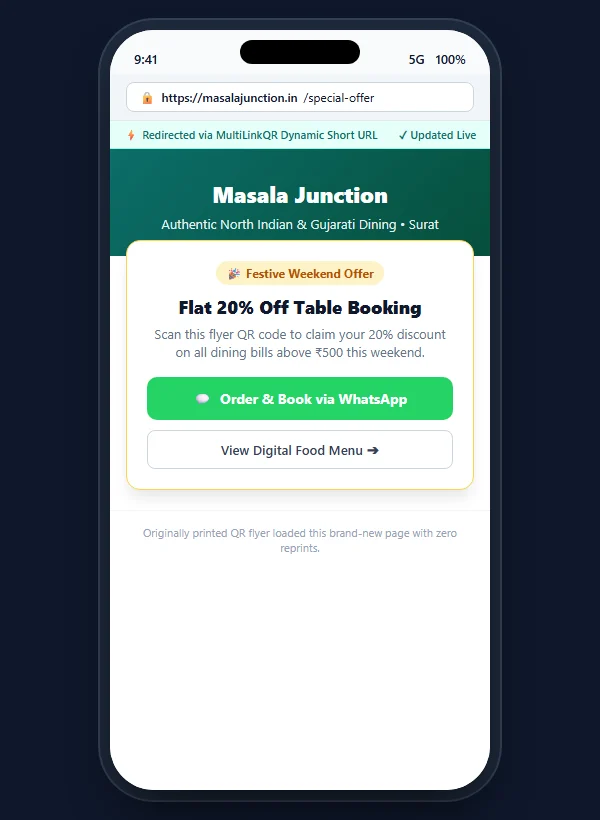
Your phone opens the new destination URL immediately. The printed black-and-white pattern did not change at all.
When should you use a static QR code instead?
While dynamic QR codes are best for marketing, static QR codes work well when links never change:
- Guest WiFi: Encodes network name and password directly into phone settings without using the browser.
- Fixed shop UPI payments: If your shop collects payments via a personal UPI VPA (such as
yourshop@okhdfcbank) that never changes, a static code opens payment apps directly. - Plain text data: For serial numbers or instructions meant to be read offline without internet access.
MultiLinkQR provides unlimited free static QR codes alongside your dynamic codes.
What are the honest limits of the MultiLinkQR Free plan?
We believe in upfront transparency with zero surprises. Here is how our Free plan compares to upcoming paid plans:
| Feature | Free Plan | Starter Plan | Pro Plan |
|---|---|---|---|
| Dynamic QR Codes | 3 active codes | 50 active codes | 500 active codes |
| Static QR Codes | Unlimited | Unlimited | Unlimited |
| Total Scans Allowed | Unlimited | Unlimited | Unlimited |
| Scan Analytics History | 30 days | 365 days | 3 years |
| Never-Die Promise | Included | Included | Included |
| Digital Restaurant Menu | 1 menu (20 items + WhatsApp ordering) | 100 items + extra language | Unlimited items + UPI payments |
| Custom Short Domain | go.multilinkqr.com | go.multilinkqr.com | Connect your own domain |
| Price | ₹0 (Free forever) | Coming soon – join waitlist | Coming soon – join waitlist |
We do not ask for card details on sign-up. If you need 3 dynamic QR codes or fewer, the Free plan covers everything you need. Review our full tier comparison on our pricing page.
Why MultiLinkQR dynamic codes never expire (The Never-Die Promise)
Many generic QR generators use a bait-and-switch model:
- They offer "free dynamic QR codes".
- You print 1,000 brochures and distribute them to customers.
- After 14 days, they silently deactivate your QR code.
- When visitors scan your code, they see an error message asking you to pay $30 or ₹2,500 monthly.
Your printed materials belong to you. That is why MultiLinkQR introduced the Never-Die Promise:
Our Core Guarantee: Every QR code you create on MultiLinkQR continues redirecting visitors to its last saved destination link forever. We never delete your codes, we never disable active redirects, and we never hold your printed materials hostage.
Even if you only use our Free plan, or if you cancel a future paid subscription, your printed codes keep working. You only lose editing and fresh analytics until you renew. Read our full commitment on Our Promise: Your Printed QR Codes Never Die.
Common mistakes to avoid when printing dynamic QR codes
Keep these four best practices in mind before printing:
- Maintain high contrast: Use dark patterns (black, navy, or brand teal
#0B6E69) on white backgrounds. Avoid pale colors. - Follow minimum sizing: Use at least 2 cm × 2 cm for visiting cards and 3 cm × 3 cm for table tents. For posters, maintain a 10:1 viewing ratio (code width = one-tenth of viewing distance).
- Verify destination URLs: Open the destination URL in your browser before saving to confirm it loads correctly over
https://. - Keep logos balanced: Keep center logos under 25% of the total QR code area to ensure instant decoding.
Frequently Asked Questions
Can I change the link of a QR code after printing?
Yes. If you created a dynamic QR code on MultiLinkQR, you can change the target URL anytime from your dashboard. The printed pattern remains identical, but visitors are routed to your updated web address immediately.
What is the best free dynamic QR code generator?
The best free dynamic QR code generator is MultiLinkQR. Unlike trial-based platforms that deactivate codes after 14 days, MultiLinkQR provides 3 permanently active dynamic QR codes on its Free plan backed by the Never-Die Promise.
How many dynamic QR codes are free on MultiLinkQR?
MultiLinkQR provides 3 dynamic QR codes free for every account. You also receive unlimited static QR codes, 30 days of scan history, and unlimited scans with no credit card required.
Do dynamic QR codes on MultiLinkQR expire?
No. MultiLinkQR operates under the Never-Die Promise. Your printed dynamic QR codes continue redirecting visitors to their destination link forever, even on the Free plan.
What is the difference between a static and a dynamic QR code?
A static QR code encodes your target URL directly into the matrix; it cannot be edited once printed and cannot track scans. A dynamic QR code routes through a short redirect link, allowing you to edit the destination anytime and track scan counts.
Can I track how many people scan my free dynamic QR code?
Yes. Every dynamic QR code created on MultiLinkQR automatically tracks scan visits, device types (iPhone vs. Android), referring browsers, and scan timelines over the past 30 days for free.
Start creating editable QR codes today
Never worry about broken links or wasted printing costs again. Create your free dynamic QR code with MultiLinkQR and manage your printed marketing with confidence.
Create your free dynamic QR code on MultiLinkQR — 3 dynamic codes included free, no credit card required, backed by our Never-Die Promise.
Frequently Asked Questions
Create Your Free Multi-Link QR Code Today
No monthly fees, zero forced watermarks, and our Never-Die promise means your QR codes will never break.
Related Guides
How to Put Multiple Links in One QR Code (Free Guide)
Step-by-step guide to putting multiple links in one QR code for free. Add Instagram, WhatsApp, your menu and more, then download PNG or SVG.
Multi-Destination QR Codes: One Scan, Several Links
What a multi-destination (multi-URL) QR code is, how it differs from dynamic and location-based QR codes, and how to create one for free.
Free QR Code Generator with Logo – Custom Branded QR Codes
Create free QR codes with your logo. Add your brand logo, choose colors and download high-quality PNG or SVG. No watermark, no sign-up, free forever.