"Multi-destination QR code", "multi-URL QR code", "multi-link QR code": you will see all of these names online, and they are often used for slightly different things. This guide explains what each one means, how a multi-destination QR code actually works, when it is the right choice, and how to make one for free.
What is a multi-destination QR code?
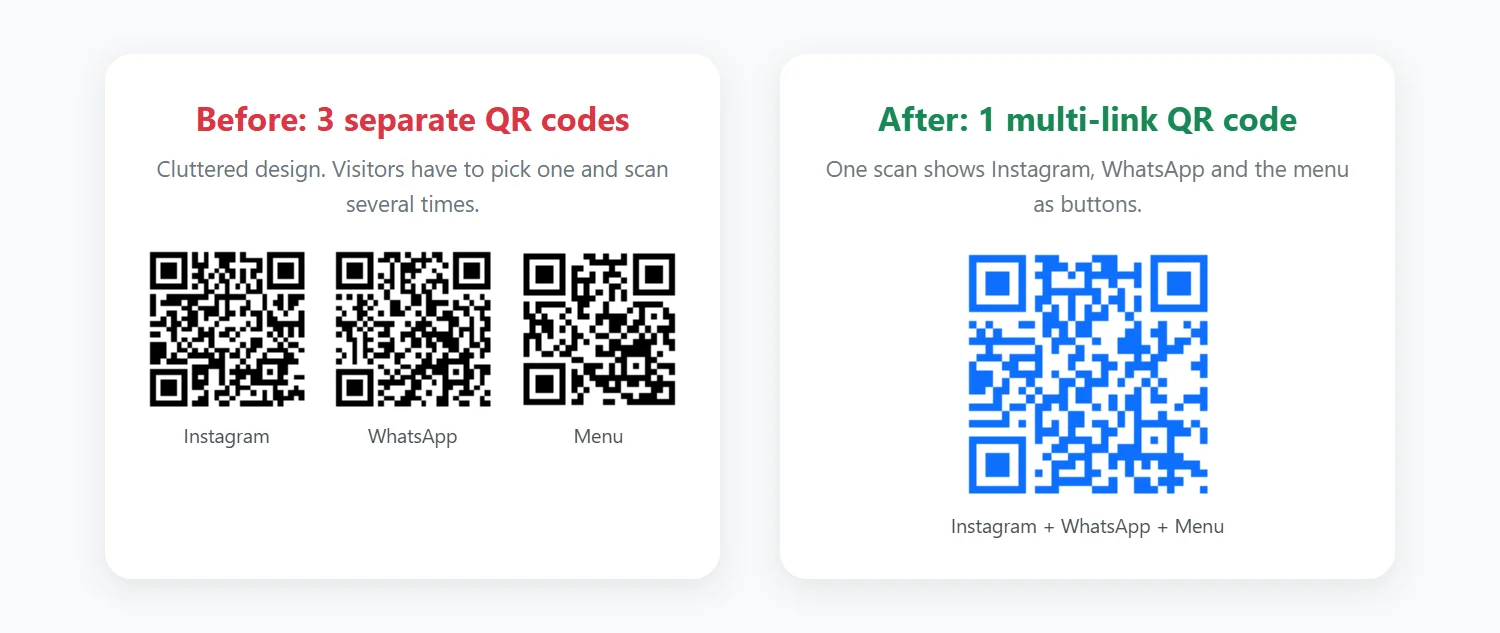
A multi-destination QR code is a single QR code that gives the person scanning it access to several destinations, for example your website, Instagram, WhatsApp and a PDF brochure. Instead of printing one code per link, you print one code, and people choose where to go.
The names mean roughly the same thing:
- Multi-destination QR code: focuses on the idea of several places to go.
- Multi-URL QR code: the same idea, named after the web addresses (URLs) it contains.
- Multi-link QR code: the most common name for a code that opens a page of links.
How it works
A QR code can only store one piece of information. So a multi-destination QR code stores one link to a landing page, and that page lists all of your destinations as buttons. The person scanning taps the one they need.
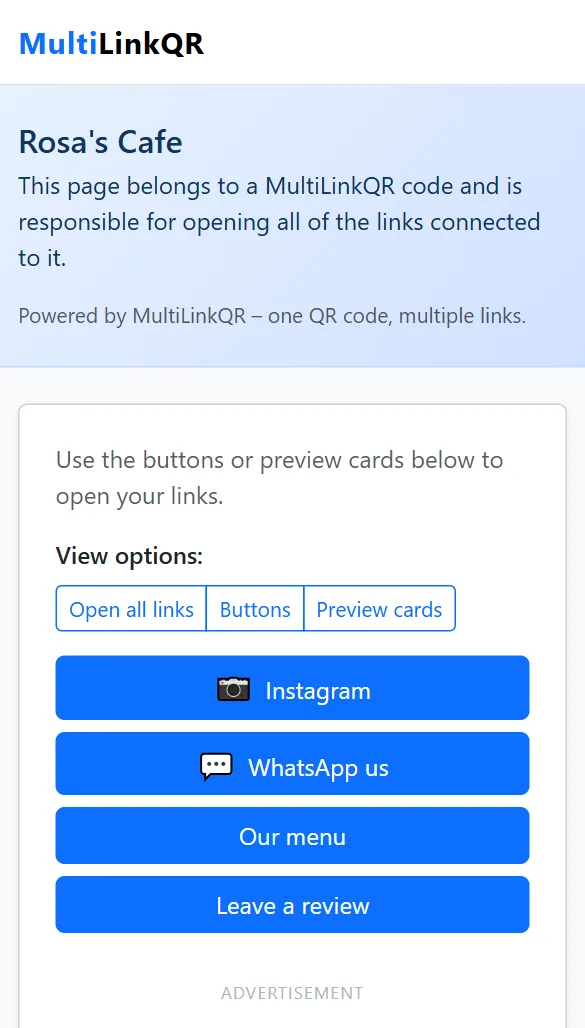
With MultiLinkQR, the list of destinations is packed into that landing page link itself. You don't need an account, and nothing is stored on a server that could be switched off later.
Multi-destination vs. "smart" or location-based QR codes
Some paid QR services sell "smart" or "multi-location" QR codes. These usually don't show a list. Instead they automatically redirect people to a different page depending on their phone type (iPhone vs. Android), language, time of day or country. It is worth knowing the difference:
- Multi-destination (link page): visitors see all options and choose. Simple, transparent, works the same for everyone. This is what MultiLinkQR creates.
- Smart redirect: the service decides for the visitor. Useful for app download links (App Store vs. Google Play), but it needs a paid dynamic QR service, and the code stops working if the subscription ends.
If you just need people to reach your app on either store, a multi-destination page with two buttons ("Download on the App Store" and "Get it on Google Play") does the job for free.
Businesses with several locations
A common reason people search for a "multi-location QR code" is a business with more than one branch. A multi-destination QR code handles this neatly: add one Google Maps link per branch and label each button with the branch name, for example "Downtown", "Airport" and "Mall". One code works on every flyer, and customers pick the branch closest to them.
When a multi-destination QR code is the right choice
- Business cards: website, WhatsApp, LinkedIn and email on one small code.
- Restaurants and cafés: menu, online ordering, reviews and Instagram. See our menu QR code guide.
- Creators: all your social media profiles in one QR code.
- Events: registration form, agenda PDF, venue map and feedback form.
- Product packaging: user manual, warranty registration, support chat and reorder page.
When you only have one destination, use a single-link QR code instead. It opens the page directly with no extra tap. Our comparison of single-link vs. multi-link QR codes explains when to use each.
How to create a multi-destination QR code (free)
- Open the MultiLinkQR generator and choose Multi-Link mode.
- Enter a title, for example your business name.
- Add each destination with a clear label. Every link must start with
https://. - Choose Show buttons only as the open mode, then pick your colors and size.
- Click Generate QR Code, scan it with your phone to test, and download it as PNG or SVG.
For screenshots of every step, see how to put multiple links in one QR code.
Frequently asked questions
Is a multi-destination QR code the same as a dynamic QR code?
Not necessarily. "Dynamic" means the destination can be changed after printing, which requires a paid service that redirects every scan. A multi-destination QR code from MultiLinkQR is static: free and permanent, but you create a new code if your links change.
How many destinations can I add?
As many as you need, but 2–6 is the sweet spot. Each extra link makes the QR pattern denser, so codes with many links should be printed larger.
Can I set an expiry date?
Yes. Add an optional expiry date and the page shows an "expired" message after that day. That's useful for event or promotion codes.
Make a multi-destination QR code
Add all your destinations to one QR code in minutes. Free, no account needed.
Generate QR Code Free Read More Guides