QR Menu WhatsApp Ordering: Free, Zero Commission Guide
Create a free QR menu WhatsApp ordering system for your cafe or restaurant. Zero commissions forever, up to 20 items free, and instant kitchen order dispatch.
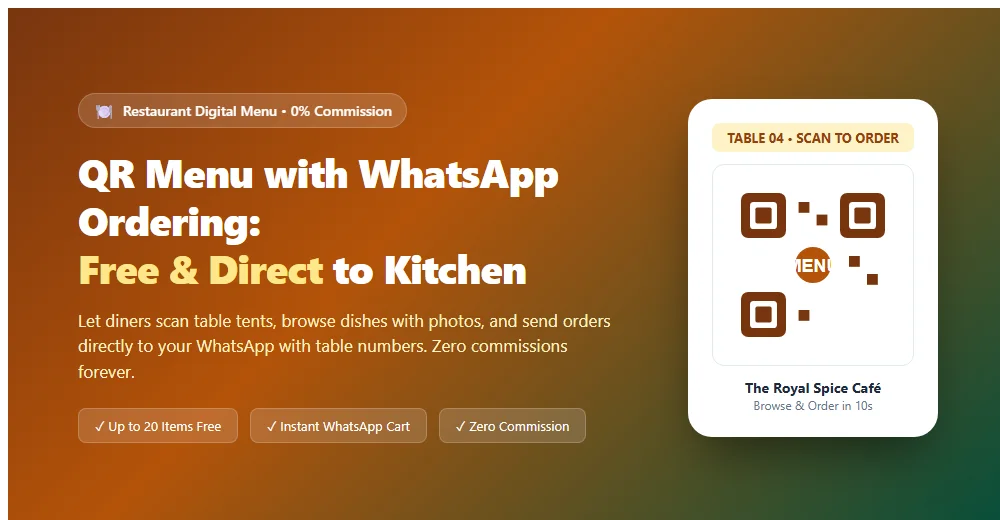
Running a modern restaurant, café, or cloud kitchen is demanding. Food delivery aggregator apps eat away 20% to 30% of your gross margins on every single ticket, while traditional printed paper menus tear, get stained with curry, and cost thousands to reprint every time vegetable prices fluctuate.
Switching to a modern qr menu whatsapp ordering system completely transforms your dining operations. Guests scan a compact table tent with their smartphone, browse high-resolution dish photos, tap their desired items, and submit their complete order directly to your kitchen WhatsApp—without paying a single rupee of commission to third-party middlemen.
Quick answer: A QR menu with WhatsApp ordering lets restaurant and café guests scan a table code, browse dishes with photos, select quantities, and send their complete order with table number directly to the restaurant's WhatsApp. MultiLinkQR includes 1 free digital menu with up to 20 items, zero commissions on orders forever, and instant menu editing.
Why qr menu whatsapp ordering is the smartest choice for restaurants
Traditional contactless dining apps often create more problems than they solve: they force diners to download clunky 80 MB mobile applications, fill out lengthy registration forms, or grant unnecessary phone permissions. Diners get annoyed, and waiters spend their time troubleshooting Wi-Fi rather than serving food.
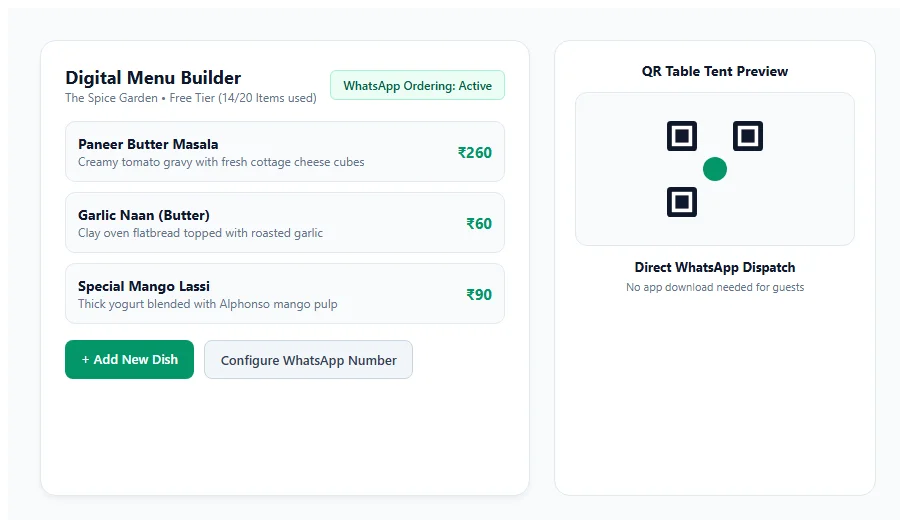
A WhatsApp-based digital menu fixes every friction point:
- Zero App Downloads: Customers use the built-in smartphone camera and default web browser. The menu loads in under 200 milliseconds even on modest cellular connections.
- 0% Aggregator Commissions: Every rupee of revenue stays in your restaurant bank account. We never charge order processing percentages or listing fees.
- Familiar Messaging Interface: Over 95% of smartphone users in India and Southeast Asia already use WhatsApp daily. Submitting an order feels as natural as texting a friend.
- Instant Price & Availability Updates: If paneer runs out during the lunch rush, mark it "Sold Out" in 5 seconds from your phone. Diners will immediately see it greyed out.
- Enhanced Food Safety & Hygiene: Meeting food safety standards from bodies like the Food Safety and Standards Authority of India (FSSAI) is much easier when you eliminate sticky, germ-covered paper menus passed between dozens of diners daily.
How to build your free QR menu with WhatsApp ordering
Setting up your digital menu on MultiLinkQR takes less than 10 minutes from your laptop or smartphone:
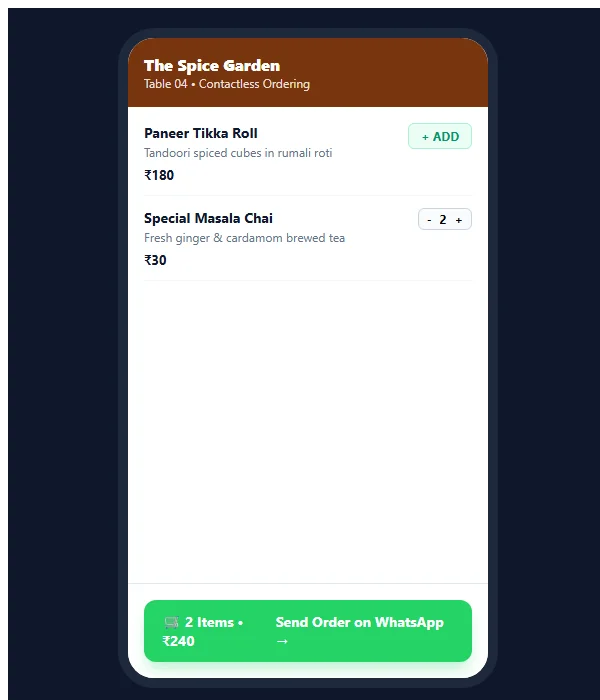
Step 1: Open the Menu Builder in your dashboard
Sign in to your MultiLinkQR dashboard and navigate to Menus in the sidebar. Click Create New Menu and enter your restaurant or café name.
Step 2: Organize your food categories
Create logical sections that match your dining sequence:
- Starters & Appetizers
- Main Course Specialties
- Breads & Rice
- Desserts & Shakes
- Beverages & Hot Chai
Step 3: Add your dishes with pricing and descriptions
On our Free plan, you can add up to 20 menu items completely free. For each dish, provide:
- Clear dish name (e.g., Paneer Butter Masala, Special Masala Dosa, Cold Coffee)
- Price in your local currency
- Brief appetizing description detailing ingredients, spice level, or vegan/jain indicators
- Optional high-contrast dish photo to stimulate appetite
Step 4: Configure your kitchen WhatsApp phone number
Enter your active kitchen or cashier WhatsApp number with country code (e.g., +91 98765 43210). Enable the WhatsApp Ordering toggle.
Step 5: Generate and print your table QR codes
Download your menu QR code as a print-ready vector SVG or PNG. You can print unified counter codes or configure table-specific QR codes for Table 1, Table 2, Table 3, and so on.
What does an incoming WhatsApp order look like?
When a dining party at Table 4 reviews the menu and taps Send Order on WhatsApp, their phone generates a clean, structured text message:
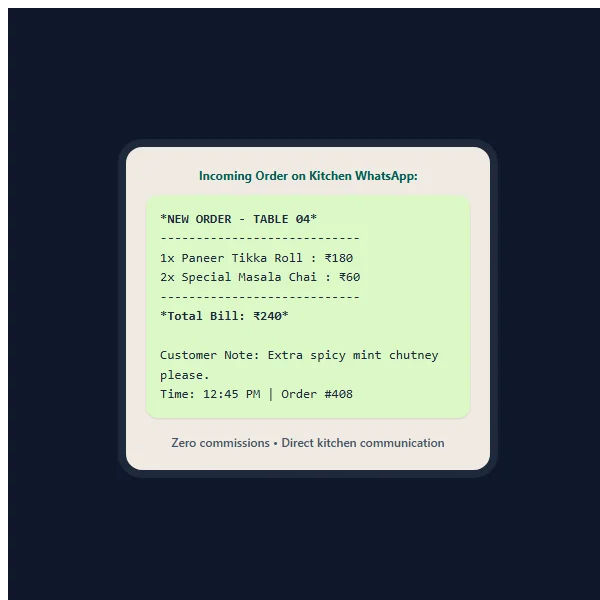
*NEW ORDER - THE SPICE GARDEN*
Table: Table 04
Guests: 2

Items Ordered:
• 1x Paneer Tikka Roll (₹180)
• 2x Special Masala Chai (₹60)

Customer Note: Extra spicy mint chutney please.
--------------------------------------
Total Bill Amount: ₹240
Timestamp: 12:45 PM | Order #408
Your kitchen staff or cashier can immediately acknowledge the order with a quick thumbs-up emoji or reply: "Order received! Preparing now, estimated time 12 minutes."
Table tent design & printing tips for maximum scan rates
A digital menu only works if diners actually scan it. Follow these production tips when printing table tents and acrylic stands:
| Placement Element | Recommended Specification | Why It Matters |
|---|---|---|
| Acrylic Standee Size | 4 × 6 inches or A6 portrait | Compact enough not to crowd salt shakers and plates. |
| QR Code Dimension | Minimum 35 × 35 mm | Ensures effortless scanning from across the table. |
| Call-to-Action (CTA) | "Scan for Digital Menu & Fast WhatsApp Ordering" | Diners know exactly why they should scan. |
| Table Number Label | Prominently printed above QR (e.g. "Table 7") | Helps servers verify table assignments visually. |
| Finish & Coating | Gloss or matte lamination | Protects paper against water spills, oil, and sanitizers. |
For detailed guidance on flyer and table display layouts, read our comprehensive guide on QR codes for posters and flyers.
What happens when your menu changes?
With traditional paper menus, changing a single dish price or correcting a typo requires sending new files to a commercial printer and discarding hundreds of laminated sheets.
With MultiLinkQR dynamic menus, you never reprint:
- Update Prices Instantly: Change rates anytime from your phone or laptop. The next customer scan immediately displays updated pricing.
- Run Weekend Specials: Add a seasonal mango dessert or chef's festival special on Friday evening, and remove it on Monday morning in three taps.
- Reorder Categories: Move high-margin beverages and appetizers to the top of the mobile screen to encourage impulse add-ons.
- Never-Die Protection: All dynamic links are protected by our permanent Never-Die guarantee. Even on our Free plan, your table codes keep routing forever without surprise paywalls.
Complete restaurant features: Free vs upcoming Pro capabilities
MultiLinkQR is committed to offering a transparent, honest service for independent restaurant and café owners:
- Free Tier (Active Now): 1 digital menu, up to 20 food items, category management, direct WhatsApp ordering, unlimited customer scans, and zero commissions forever.
- Pro Features (Coming Soon): Unlimited menu items, table-side direct UPI QR payments, multiple staff notifications, and multilingual menu translations (Hindi, Gujarati, Marathi, Tamil, Telugu, and more).
For more specialized hospitality strategies, explore our industry guide for restaurants and cafés, or check our free menu QR code generator. Check our transparent pricing plans to start building your restaurant's digital menu today!
Frequently Asked Questions
Create Your Free Multi-Link QR Code Today
No monthly fees, zero forced watermarks, and our Never-Die promise means your QR codes will never break.
Related Guides
Google Review QR Code: Get More Reviews Easily
Create a free Google review QR code. Send customers straight to your 5-star review submission form in one scan. Boost Google Maps local SEO ranking.
WhatsApp QR Code: Let Customers Chat in One Scan
Create a free WhatsApp QR code with pre-filled messages. Let customers chat with your business in one scan. Free dynamic codes with unlimited scan tracking.
UPI QR Code for Shop: Free GPay, PhonePe & Paytm QR
Create a free UPI QR code for shop counters. Accept Google Pay, PhonePe, and Paytm payments directly into your bank account with zero platform commission fees.