Google Review QR Code: Get More Reviews Easily
Create a free Google review QR code. Send customers straight to your 5-star review submission form in one scan. Boost Google Maps local SEO ranking.
When local customers search for a café, dentist, salon, or clothing boutique in their neighborhood, over 85% check Google Maps ratings before stepping through the door. A business with eighty 5-star reviews will consistently outrank and outperform a competitor with only four reviews, even if the competitor is located on the main road.
However, asking happy customers to leave a review verbally rarely works. Telling a customer to "Search for Aroma Bakery on Google Maps, scroll down past the photos, tap the reviews tab, and write a review" involves too many steps. Most people forget before they even walk out the door.
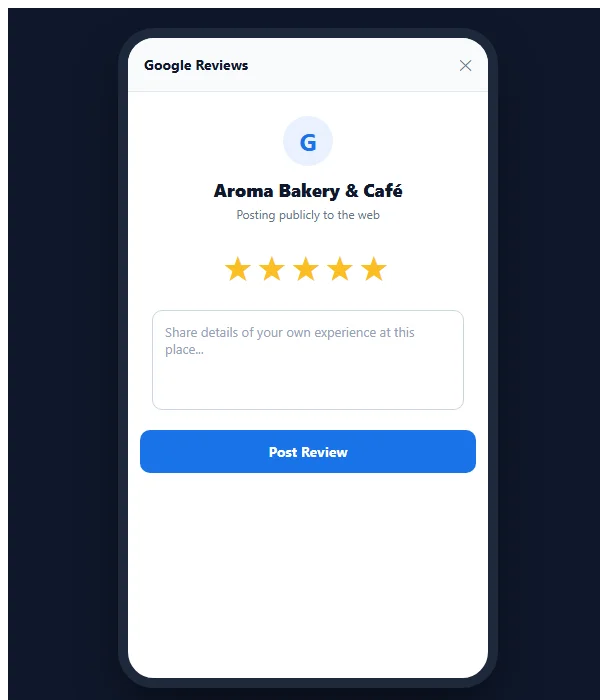
Creating a dedicated google review qr code solves this problem completely. When a satisfied customer points their phone camera at your counter standee or receipt card, it opens Google's 5-star review submission dialog directly—ready for them to tap stars and submit feedback in 15 seconds.
Quick answer: A Google review QR code encodes your direct Google Business Profile review link. When customers scan it with their phone camera, it bypasses search result pages and immediately pops up the 5-star rating and comment box on Google Maps. MultiLinkQR provides free static and dynamic review QR codes with print-ready vector SVG downloads and zero expiration.
Why a google review qr code boosts your local SEO and foot traffic
In Google's local search algorithm, review velocity, overall star rating, and review frequency are among the highest-weighted ranking signals for the coveted "Local 3-Pack" (the top three businesses displayed on Google Search and Maps).
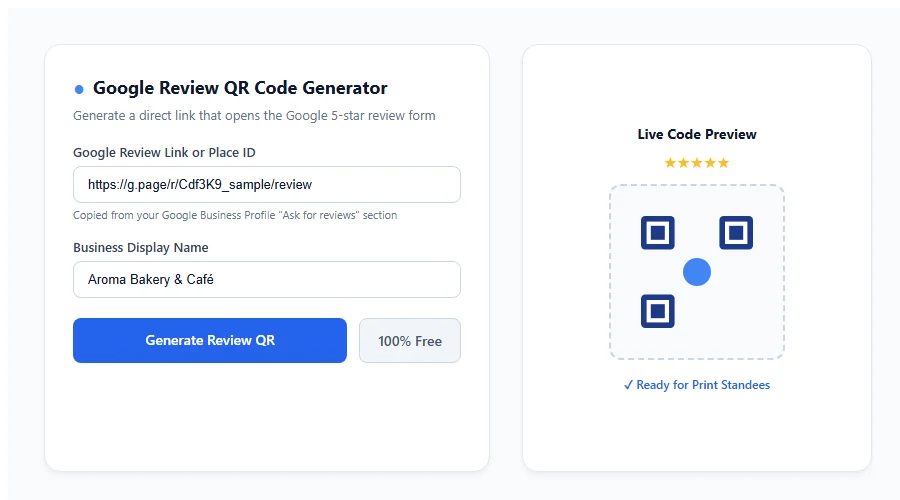
Deploying a review QR code provides four tangible advantages for your business:
- Eliminates Search Ambiguity: Searching for common business names often brings up competitors or duplicate listings. A direct review QR code guarantees the customer reviews your exact business profile.
- Shortens the Review Journey to 15 Seconds: Removing 4 intermediate clicks increases the percentage of satisfied customers who actually complete the review by over 400%.
- Builds Social Proof at the Peak Moment of Delight: Prompting a customer immediately after a delicious meal, a great haircut, or a smooth checkout captures authentic enthusiasm before it fades.
- Permanent Dynamic Safety: If your Google Place ID changes, or if you launch a second branch, a dynamic code allows you to update the destination URL without throwing away your expensive acrylic counter stands.
Step 1: How to find your direct Google review link
Before generating your QR code, you need to copy your business profile's official short review link from Google:
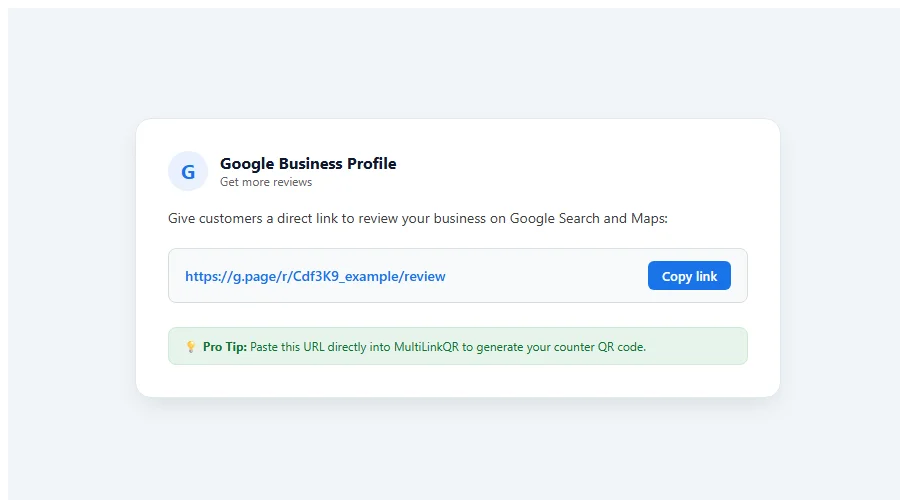
- Open your web browser and log in to the Google account that manages your business listing.
- Search for your business name on Google or search
"my business"to open the Business Profile manager. - On your business management panel, look for the card titled Ask for reviews (or click the three dots icon and select Get more reviews).
- Google will display a unique short URL in the format:
https://g.page/r/[YourUniqueID]/review. - Click the Copy link button.
Step 2: How to generate your Google review QR code on MultiLinkQR
Once you have your direct review URL, generating your print-ready QR code takes less than a minute:
- Navigate to the free Google review QR code generator.
- Paste your copied Google review URL into the destination input field.
- Enter your business name to label your QR file.
- Customize your design: choose brand colors with strong contrast (such as deep navy or dark charcoal against crisp white), pick rounded or square corner frames, and add your brand logo in the center.
- Download your completed code as a vector SVG file for commercial printing, or high-res PNG for digital collateral.
Where to place your Google review QR code for maximum submissions
Review requests work best when placed naturally at touchpoints where customers pause and reflect on their experience:
1. Acrylic Counter Standees at Cash Registers
Place a small 4 × 6 inch acrylic stand directly where customers wait for their credit card slip or payment confirmation. While waiting for receipts, customers naturally glance at the standee.
2. Dining Bill Folders & Table Tents
For restaurants, cafes, and bars, place a small insert card inside the bill folder when presenting the check. Diners who just enjoyed a delicious meal are in the perfect mood to leave a glowing 5-star review. Learn more in our dedicated guide on QR codes for restaurants.
3. Takeaway Bags & Packaging Inserts
Add a printed postcard inside online delivery boxes or retail shopping bags: "Loved your order? Scan this code to share your feedback on Google!"
4. Appointment Follow-up Slips & Salon Mirrors
For hair salons, dental clinics, and wellness spas, affix a tasteful sticker to styling mirrors or hand a feedback card to clients at the reception desk during checkout.
Google review policies: What you MUST know to stay compliant
Google takes review manipulation seriously. To protect your business profile from suspensions or penalty filters, always adhere to official Google Business Profile review policies:
| Permitted Best Practice | Strictly Prohibited Policy Violation |
|---|---|
| Asking all happy customers in person to share their honest feedback | Offering discounts, free desserts, gifts, or money in exchange for reviews |
| Displaying a clean QR code on counter stands or receipts | Setting up review kiosks inside your store where customers log in on your device |
| Responding politely and professionally to both positive and negative reviews | "Review gating" (filtering unhappy customers to a private form while sending happy ones to Google) |
| Sharing your official Google review link publicly | Buying fake reviews from bulk overseas reputation agencies |
Important rule: Google detects multiple reviews submitted from the exact same internal shop Wi-Fi IP address or shop iPad as spam. Always encourage customers to scan the code on their own mobile phone using cellular data.
Polite verbal scripts for your front-desk staff
Printing a beautiful QR code is only half the battle; training your staff to politely point it out dramatically increases conversion rates:
- For Retail Counters: "Thank you for shopping with us today, Mr. Verma! If you had a great experience, could you do us a huge favor and scan this QR code to leave a quick 5-star review on Google? It really helps our local family business!"
- For Restaurant Waiters: "I'm so glad you enjoyed the Butter Chicken! If you have 20 seconds while I process the bill, scanning this table card to review us on Google Maps means the world to our chef."
- For Salons & Spas: "Your haircut looks fantastic! If you're happy with how it turned out, scanning this mirror badge to leave a Google review helps other clients find us."
Keep your review codes active with the Never-Die guarantee
All dynamic QR codes generated on MultiLinkQR are backed by our permanent Never-Die promise. Even on our Free plan, your dynamic codes never expire and continue routing scans with zero surprise paywalls.
Review our transparent pricing plans to see everything included on the Free plan, or explore our full guide on how QR codes help business. Create your free Google review QR code today!
Frequently Asked Questions
Create Your Free Multi-Link QR Code Today
No monthly fees, zero forced watermarks, and our Never-Die promise means your QR codes will never break.
Related Guides
QR Menu WhatsApp Ordering: Free, Zero Commission Guide
Create a free QR menu WhatsApp ordering system for your cafe or restaurant. Zero commissions forever, up to 20 items free, and instant kitchen order dispatch.
WhatsApp QR Code: Let Customers Chat in One Scan
Create a free WhatsApp QR code with pre-filled messages. Let customers chat with your business in one scan. Free dynamic codes with unlimited scan tracking.
UPI QR Code for Shop: Free GPay, PhonePe & Paytm QR
Create a free UPI QR code for shop counters. Accept Google Pay, PhonePe, and Paytm payments directly into your bank account with zero platform commission fees.