UPI QR Code for Shop: Free GPay, PhonePe & Paytm QR
Create a free UPI QR code for shop counters. Accept Google Pay, PhonePe, and Paytm payments directly into your bank account with zero platform commission fees.
Handling paper cash slows down customer billing, requires keeping drawers full of loose change, and risks receiving soiled or counterfeit currency. Modern Indian retail shoppers expect to tap their smartphones and pay in seconds using Unified Payments Interface (UPI).
Setting up an interoperable upi qr code for shop checkout allows retail owners, kirana stores, salons, and cafés to accept instant contactless payments from any mobile banking app with zero transaction fees.
Quick answer: A UPI QR code for your shop lets customers pay you directly using Google Pay, PhonePe, Paytm, or BHIM in one scan. Because payments follow the official National Payments Corporation of India (NPCI) standard, funds deposit directly into your linked bank account with 0% platform commission. You can create a free, printable vector standee in two minutes using the MultiLinkQR UPI generator.
What is an interoperable shop UPI QR code?
Under the guidance of the National Payments Corporation of India (NPCI), UPI was engineered as an open, interoperable payment network.
In the past, shop owners were forced to display three or four separate printed standees on their cash desk: one for Google Pay, one for PhonePe, and one for Paytm. Cluttering your counter with multiple QR cards confuses shoppers and looks untidy.
An interoperable UPI QR code encodes a standardized payment URI formatted like:
upi://pay?pa=yourshop@okaxis&pn=Krishna%20General%20Store&cu=INR
Because every Indian payment app understands this standard schema, a single printed QR code works seamlessly across all consumer apps:
- Google Pay (GPay)
- PhonePe
- Paytm
- BHIM UPI
- Cred UPI
- Banking apps (iMobile, YONO SBI, HDFC PayZapp, Axis Mobile)
When a shopper scans your code, their smartphone automatically launches their default payment app with your shop name and UPI handle pre-filled.
Step-by-step: How to create a free UPI QR code for shop counters
You do not need a merchant banker or technical setup to create a professional payment standee. Follow these simple steps:
Step 1: Find your UPI ID (VPA)
Your Virtual Payment Address (VPA) is your unique payment handle linked to your bank account. You can find your UPI ID inside your existing banking or payment app:
- Google Pay: Tap your profile photo in the top right corner. Your UPI IDs appear under your bank account name (e.g.
yourname@okaxisorshopname@okhdfcbank). - PhonePe: Tap your profile icon on the top left, select UPI Settings, and view your primary UPI ID (e.g.
9876543210@yblorshopname@axl). - Paytm: Tap your profile menu. Your UPI ID is displayed beneath your barcode (e.g.
9876543210@paytm).
Step 2: Enter your details in the free generator
Open our free UPI QR code generator.
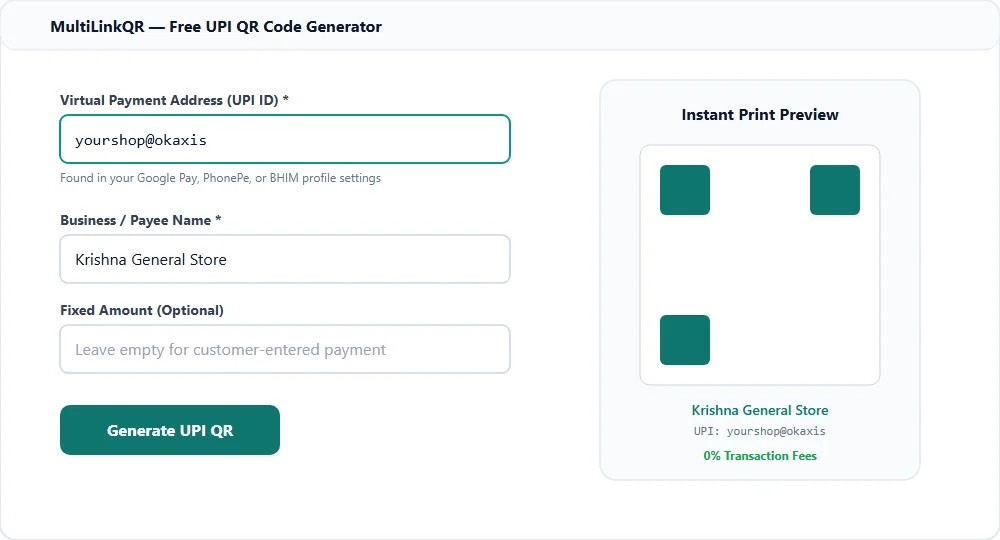
- UPI ID (VPA): Paste your exact payment handle (such as
yourshop@okaxis). Double-check spelling carefully. - Business / Payee Name: Enter the official name of your shop (e.g. Krishna General Store). This is the name customers will see on their confirmation screen.
- Fixed Amount (Optional): Leave this field empty for everyday retail counters so customers can type their own bill total. If you sell a fixed-price item (such as an exhibition ticket or standard salon haircut), you can enter a fixed rupee amount.
- Click Generate: Your custom QR code renders instantly with an optimal scannability score.
Step 3: Download high-resolution print files
Click Download SVG for commercial acrylic standees, vinyl stickers, and counter signs. Vector SVG files can be enlarged to any dimensions without pixelation or blurriness. You can also download high-resolution PNG for digital bills and WhatsApp invoices.
Printing and placement tips for retail counters
A high-tech payment code is only effective if customers can scan it effortlessly. Follow these best practices when setting up your counter:
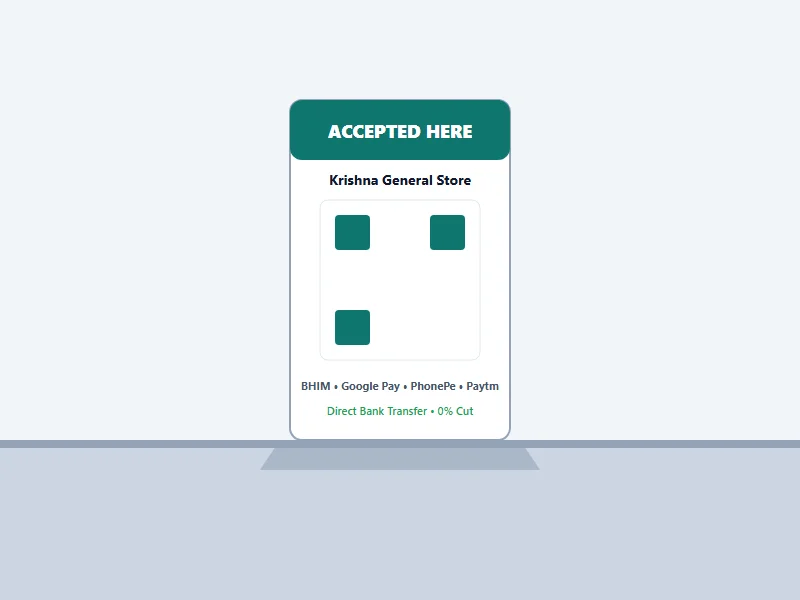
- Optimal Height and Angle: Place your standee at chest height on an angled acrylic L-stand facing the customer. Avoid laying paper flat on the counter where items might cover it.
- Glare Protection: Keep the code away from harsh overhead halogen spotlights that cause reflective glare on glossy acrylic surfaces. Matte laminate finishes provide the fastest camera recognition.
- Display Official App Badges: Include small logos for Google Pay, PhonePe, Paytm, and BHIM below the QR code to reassure customers that all apps are accepted.
- Print Backup Codes for Multi-Counter Shops: If your store has multiple billing registers or departments, learn more in our guide on QR codes for shops and retail and QR codes for posters and flyers.
Retail payment safety: Protecting your shop from fraud
As UPI adoption has skyrocketed, scammers have developed tricks targeting busy retail cashiers. Protect your revenue with these essential rules:
1. Never trust customer phone screens alone
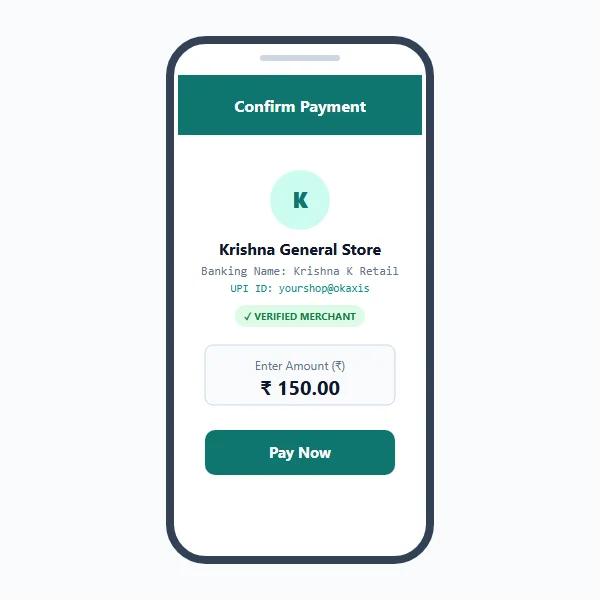
Fraudulent "fake payment" apps mimic popular UPI payment confirmation screens with realistic animations, transaction IDs, and tick marks. Always wait for your official bank SMS notification or listen for your audio soundbox alert before handing over goods.
2. Never scan a QR code to receive money
A common scam involves a customer claiming they want to pay you advance money, sending you a QR code to scan. Scanning a QR code or entering your UPI PIN always sends money OUT of your bank account. You never need to scan a code or enter your PIN to receive money.
3. Check for physical sticker tampering
Routinely inspect your physical counter standee at the start of each business day. Unethical individuals have been known to paste their own personal QR sticker over legitimate merchant standees in crowded markets.
For advanced multi-payment options including credit cards, read our comprehensive overview of QR codes for payments.
Free UPI QR code vs bank merchant soundboxes
Many retail owners ask whether they should use a free MultiLinkQR payment code or rent a commercial merchant soundbox:
| Feature | MultiLinkQR Free UPI QR | Bank / Fintech Soundbox |
|---|---|---|
| Setup Cost | Free (₹0) | ₹199 to ₹499 upfront |
| Monthly Rental | ₹0 forever | ₹125 to ₹250 every month |
| Transaction Fees | 0% commission | 0% on standard UPI |
| Bank Account Flexibility | Works with any Indian bank | Often locked to vendor account |
| Audio Alert | Relies on phone notification | Built-in speaker box |
| Design Control | Full custom branding & SVG vector | Standard vendor branding |
For small shops, boutiques, home bakeries, and growing service businesses, a free standee from MultiLinkQR provides a dignified, cost-free payment counter without ongoing rental deductions.
Frequently Asked Questions
Create Your Free Multi-Link QR Code Today
No monthly fees, zero forced watermarks, and our Never-Die promise means your QR codes will never break.
Related Guides
Google Review QR Code: Get More Reviews Easily
Create a free Google review QR code. Send customers straight to your 5-star review submission form in one scan. Boost Google Maps local SEO ranking.
QR Menu WhatsApp Ordering: Free, Zero Commission Guide
Create a free QR menu WhatsApp ordering system for your cafe or restaurant. Zero commissions forever, up to 20 items free, and instant kitchen order dispatch.
WhatsApp QR Code: Let Customers Chat in One Scan
Create a free WhatsApp QR code with pre-filled messages. Let customers chat with your business in one scan. Free dynamic codes with unlimited scan tracking.